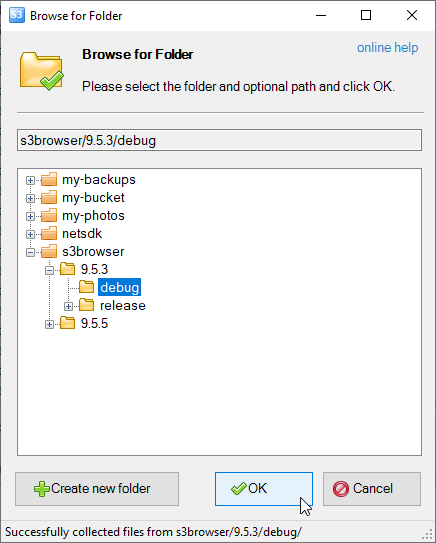
The Browse For Folder dialog allows you to select an Amazon S3 bucket and optional path via simple, graphical interface, making the process of bucket selection easier.
You may also create new folders when necessary and navigate to subfolders.
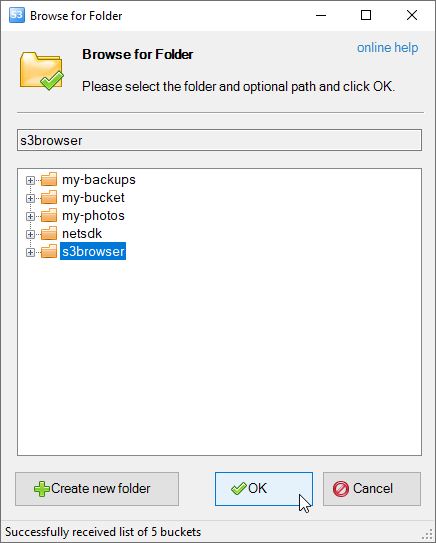
Many tasks in S3 Browse require you to choose the bucket and optoinal path and this is done via the Browse For Folder dialog:
Browse for Folder Dialog
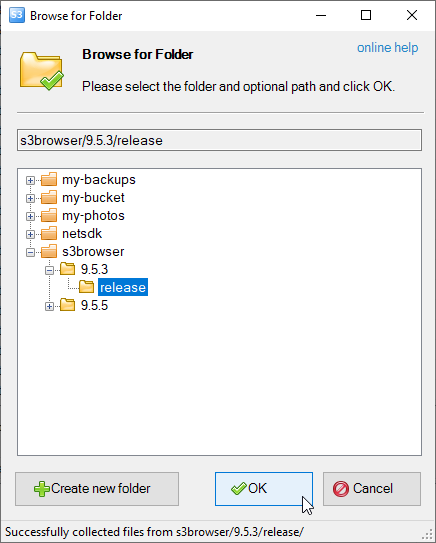
The first level of the tree represents buckets. You may also navigate into the bucket by pressing the [+] symbol next to the bucket name:
Browse for Folder Dialog - Bucket and Folder selected
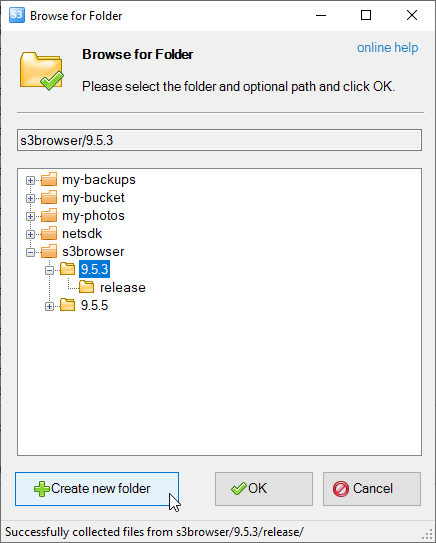
You may also create new folders if necessary.
Select parent folder and click Create new folder:
How to create new folder in the Browse for Folder dialog
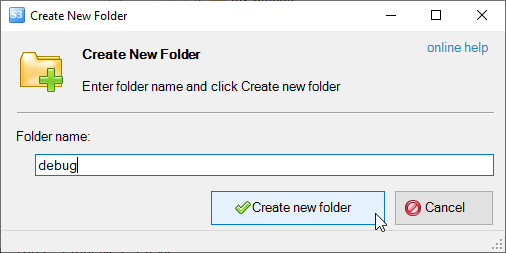
The Create New Folder dialog will open:
The Ceate New Folder dialog
Enter the folder name and click Create new folder
The new folder will be created and you can now choose it.
New folder was successfully created, you can now choose it.
CS Browser is developed by Netsdk Software FZE and is not affiliated with, endorsed by, or sponsored by Amazon or AWS. Amazon S3 and Amazon S3 Glacier are trademarks of Amazon.com, Inc. or its affiliates.