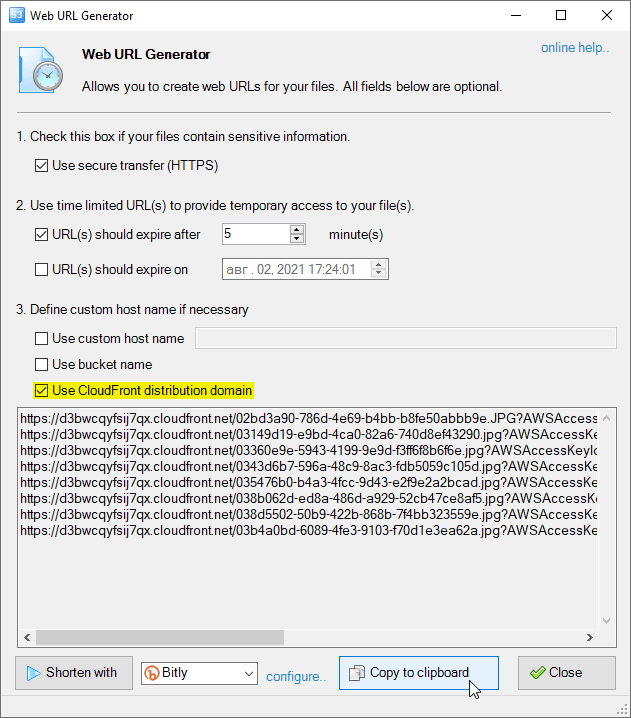
Improved Web URL Generator allows you to generate web URLs for CloudFront distributions.
Select the file, group of files, folder or Amazon S3 bucket and click Files -> Generate Web URLs.
Web URLs Generator will open. If there is a CloudFront distribution for the bucket, you will see corresponding checkbox that allows you to generate CloudFront Web URLs.
Web URLs Generator allows you to generate web URLs for CloudFront distributions.
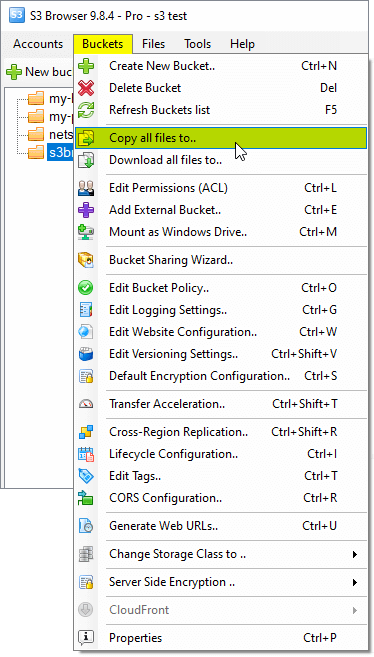
The new Clone Amazon S3 bucket feature allows you to easily copy all files from one Amazon S3 Bucket to another.
Select the bucket you want to copy, click Buckets -> Copy all files to..
Select an Amazon S3 bucket and click Buckets -> Copy all files to..
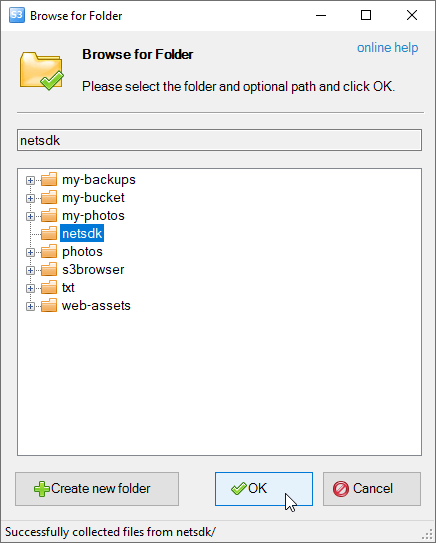
The Browse For Folder dialog will open:
The Browse For Folder dialog allows you to select destination bucket.
Select the destination bucket (and optional folder) and click OK.
CS Browser will enumerate all files and folders in source bucket and copy them to destination bucket.
If your Amazon S3 Bucket contains a lot of files, this operation may take a while. You can significantly increase performance using CS Browser Pro. It allows you to increase the number of concurrent working threads and thereby process your files much more faster.
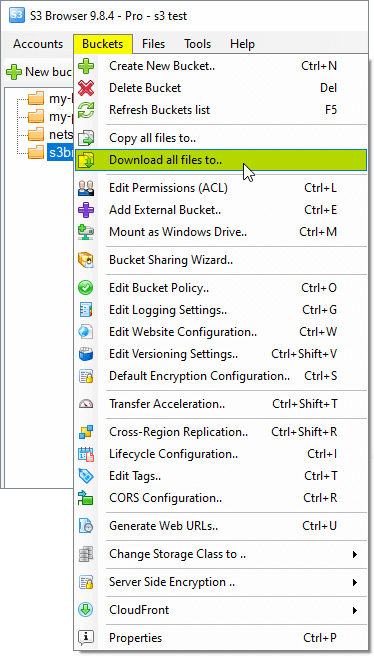
The New Download Amazon S3 bucket feature allows you to easily download all files from Amazon S3 Bucket to local disk.
Select the bucket you want to download and click Buckets, Download all files to..
Select an Amazon S3 bucket and click Buckets -> Download all files to..
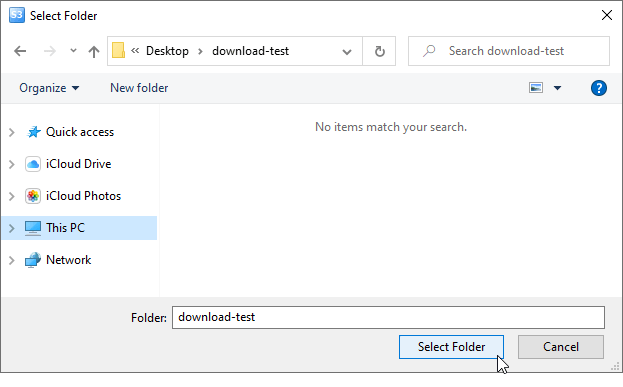
The Browse For Folder dialog will open:
The Select Folder dialog allows you to select destination folder on local disk.
Select the folder on your local drive and click OK. CS Browser will enumerate all files and folders in source bucket and download them to local disk.
If your Amazon S3 Bucket contains a lot of files, this operation may take a while. You can significantly increase performance using CS Browser Pro. It allows you to increase the number of concurrent downloads and thereby download your files much more faster.
CS Browser is developed by Netsdk Software FZE and is not affiliated with, endorsed by, or sponsored by Amazon or AWS. Amazon S3 and Amazon S3 Glacier are trademarks of Amazon.com, Inc. or its affiliates.