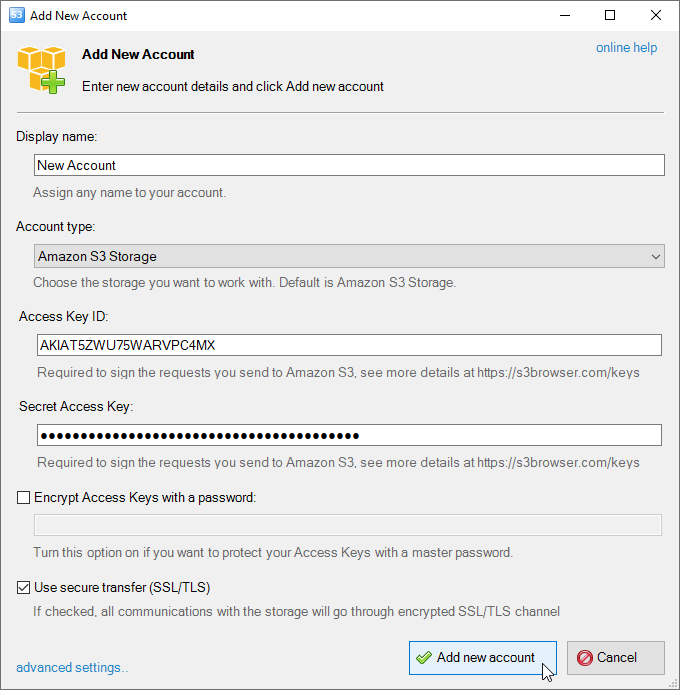
Access Key ID and Secret Access Key - Access Keys are used to sign the requests you send to Amazon S3. If you need help in retrieving your Access Keys, please check out the following article: AWS Access Keys .
Encrypt Access Keys with a password - Turn this option on if you want to protect your Access Key ID and Secret Access Key with a master password. You will be asked for a master password each time you start CS Browser.
Use secure transfer (SSL/TLS) - Turn this option on if you would like to encrypt all communications with the storage.
3. Click Add new account.
Now you are ready to start working with CS Browser.
CS Browser is developed by Netsdk Software FZE and is not affiliated with, endorsed by, or sponsored by Amazon or AWS. Amazon S3 and Amazon S3 Glacier are trademarks of Amazon.com, Inc. or its affiliates.