With CS Browser Freeware you can easily copy and move files between Amazon S3 Buckets. Below you will find detailed instructions exlaining how to copy/move files and folders from one Amazon S3 Bucket to another.
To Copy/Move files from one Amazon S3 Bucket to another:
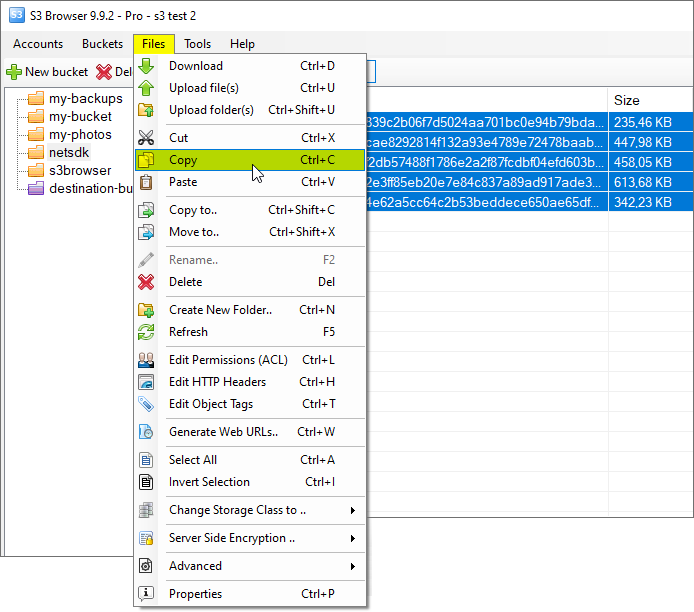
1. Open the source bucket and select files and/or folders you want to Copy or Move
2. Click Files->Copy if you want to Copy these files or Files->Cut if you want to Move these files.
Select files and folders you want to copy or move between buckets and click Files, Copy or Files, Cut
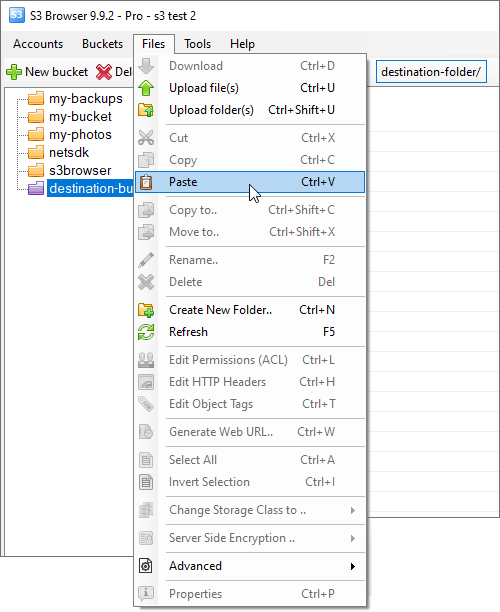
3. Open the destination bucket (and folder if necessary) and click Files->Paste
Open the destination (external) bucket and click Files->Paste, you may also use the Ctrl+V keyboard shortcut.
CS Browser will copy or move selected files.
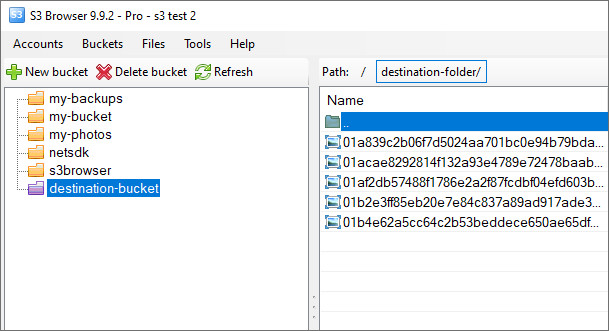
Files list will be refreshed when file copying or moving is completed.
All files were successfully copied between accounts
If you need to copy large amount of files, this operation may take a while. You may significantly speed up file copying with CS Browser Pro. It provides better concurrency support thus processes your files much more faster.
CS Browser is developed by Netsdk Software FZE and is not affiliated with, endorsed by, or sponsored by Amazon or AWS. Amazon S3 and Amazon S3 Glacier are trademarks of Amazon.com, Inc. or its affiliates.